
Updated 27 July 2026
Trading 212 order types come in four kinds:
- Market
- Limit
- Stop
- Stop-Limit
If you have been tapping “market” every time without thinking about it, you are in good company, and for a lot of investing that is perfectly fine.
But each order type does something different, and knowing which to use can save you money in the situations where it matters.
This guide explains all four in plain English, with worked examples of when each one earns its place and when it is simply unnecessary.

Key Takeaways
- There are four Trading 212 order types: market, limit, stop and stop-limit.
- A market order buys or sells immediately at the current price; a limit order only executes at your chosen price or better.
- Stop and stop-limit orders are trigger-based tools aimed at traders managing entries and exits.
- For regular long-term investing, market orders are perfectly fine; but limit orders are the better habit during extended hours.
The Short Answer
There are four main Trading 212 order types. A market order buys or sells immediately at the current price.
A limit order only executes at a price you set or better. A stop order triggers a buy or sell once a stock reaches a certain price.
And a stop-limit order combines a stop trigger with a limit price for the most control.

| Order Type | What it does |
| Market | Buys or sells immediately at the current price |
| Limit | Only fills at your set price or better |
| Stop | Triggers a market order once a price level is hit |
| Stop-Limit | Triggers a limit order – fills only at your limit price or better |
For most long-term investors, market orders are perfectly adequate for the bulk of trades, and the other types come into their own in specific circumstances rather than every day.
If you are new to the platform, our guide on how to use Trading 212 covers the basics of buying and selling.
Market Orders
A market order says “buy this right now at whatever the current price is.” You tap buy, choose market order, enter the amount, and it fills almost instantly.
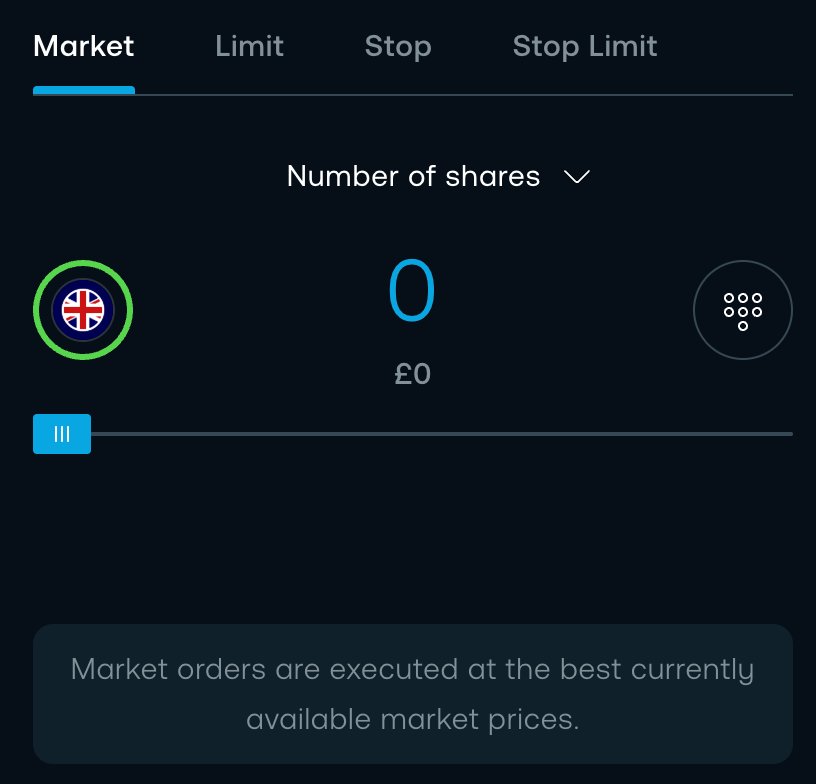
The price you get will be very close to what is on screen, though it can differ by a tiny amount between the moment you tap and the moment it fills. That small difference is called slippage.
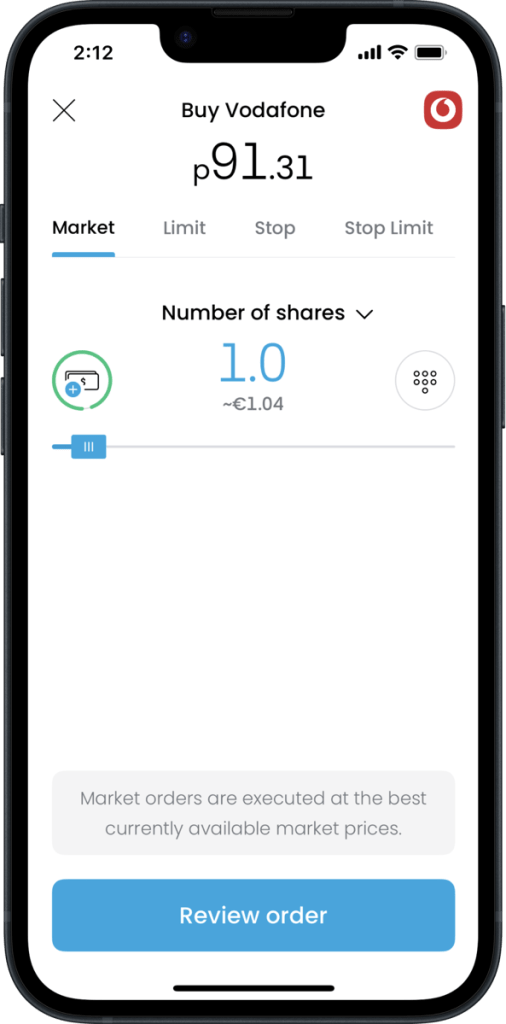
For regular investing this barely matters: if you are buying an ETF once a month for the long term, the exact price on any given day is far less important than consistently investing, and a market order just gets it done.
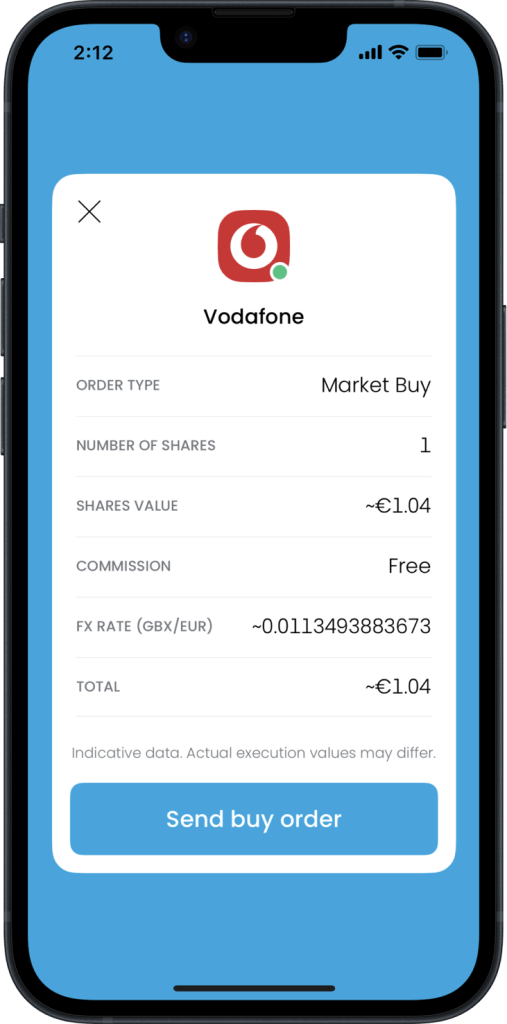
Where it is less ideal is in extended-hours trading or on thinly traded stocks, where spreads widen and a market order fills at whatever is available, which might be noticeably different from what you expected.
Limit Orders
A limit order gives you control over price: you set the most you are willing to pay, and the order only fills at that price or lower.
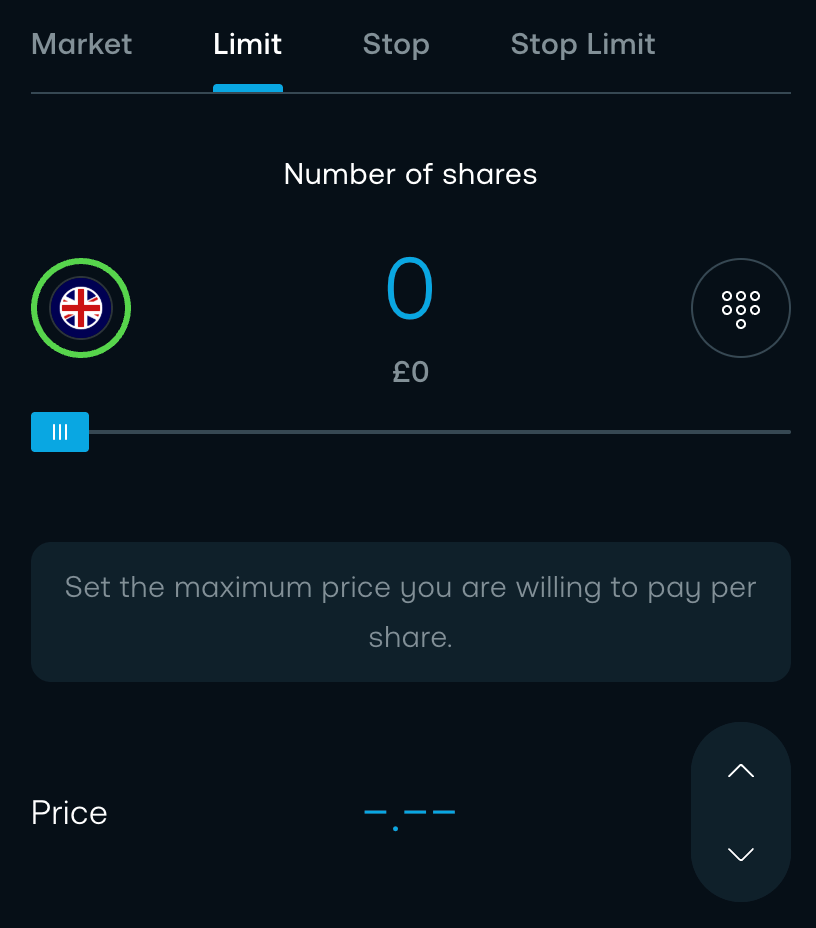
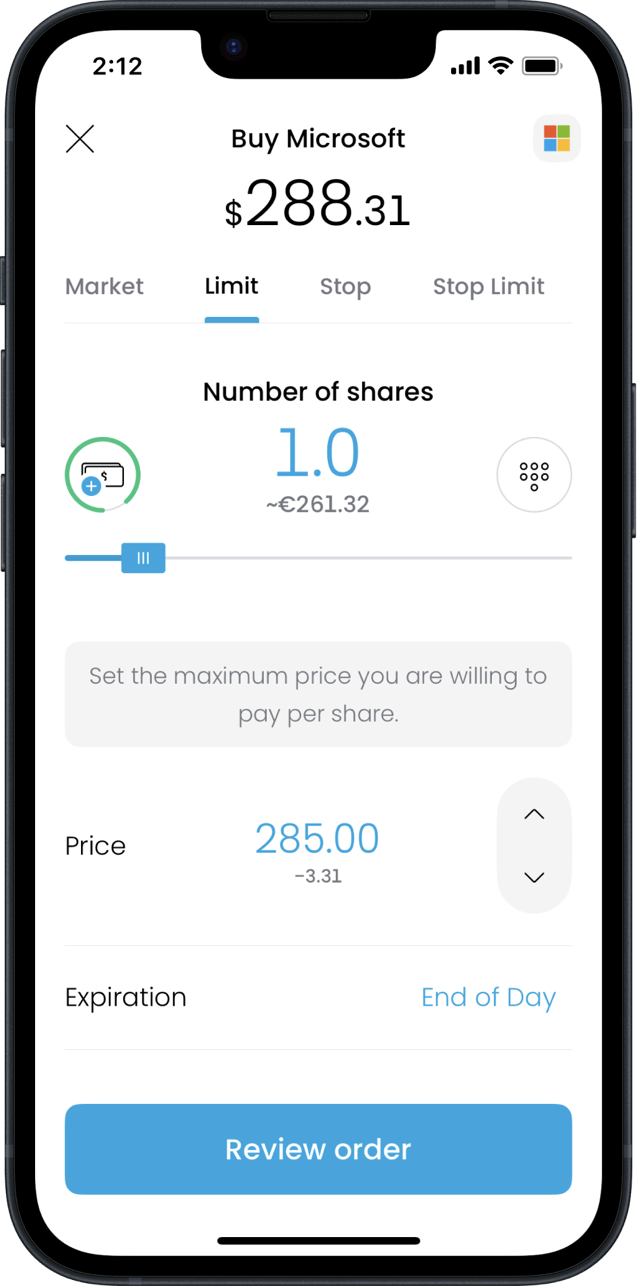
Say Microsoft is trading at around $288 and you think $285 is a fairer price. You set a limit buy at $285, and if the price drops to $285 or below it fills automatically. If it never does, nothing happens and you have spent nothing.
Selling works in reverse, ensuring you do not sell below a price you are comfortable with.
One rule prevents confusion: a limit buy only makes sense below the current price and a limit sell above it. Set a buy limit at or above the current price and the app just executes it as a market order, because your condition is already met.
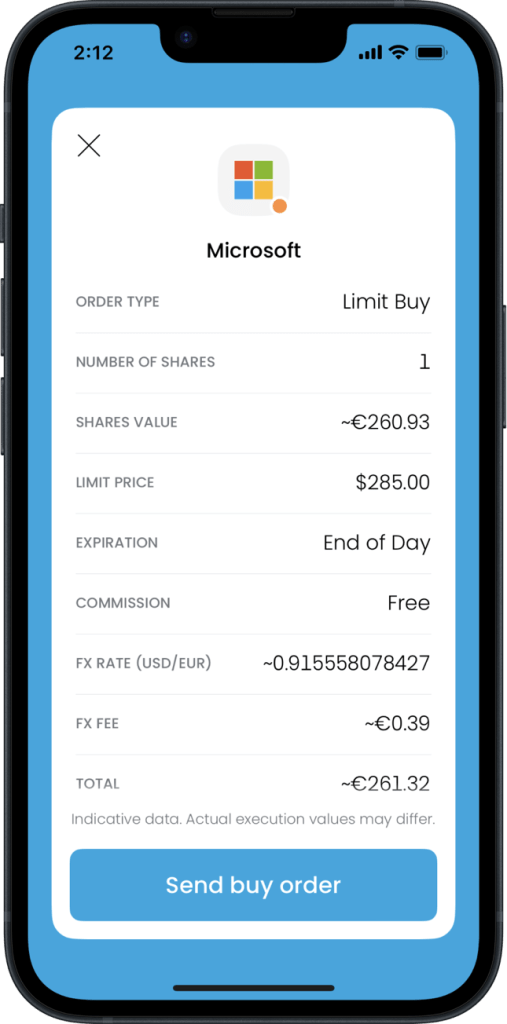
The advantage is protection against paying more than you intended, which is most valuable on volatile stocks or in the wider-spread extended hours; the trade-off is that the order may never fill if the price moves away from you.
Stop Orders
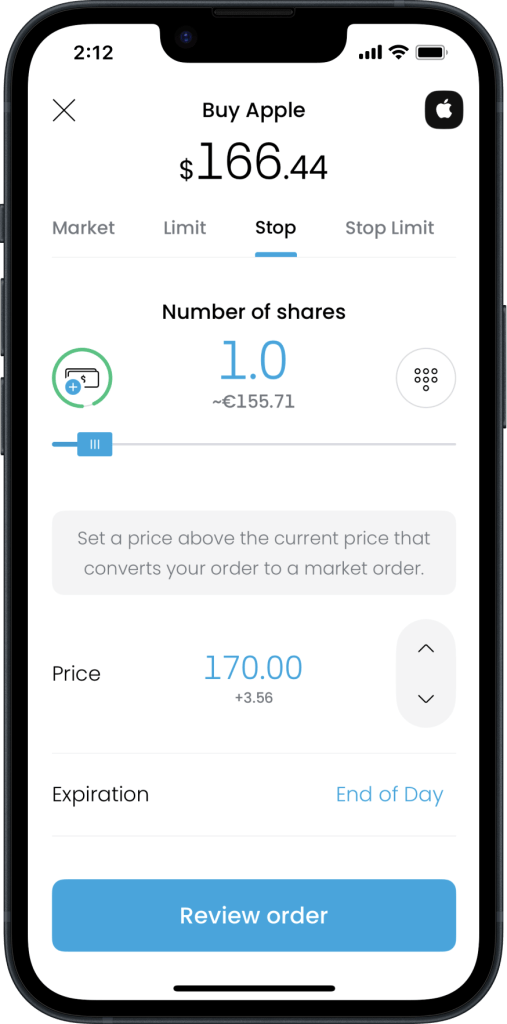
Stop orders are triggered by price movement rather than placed at a fixed price. A stop order says “once this stock hits a certain price, turn my order into a market order and execute it.”
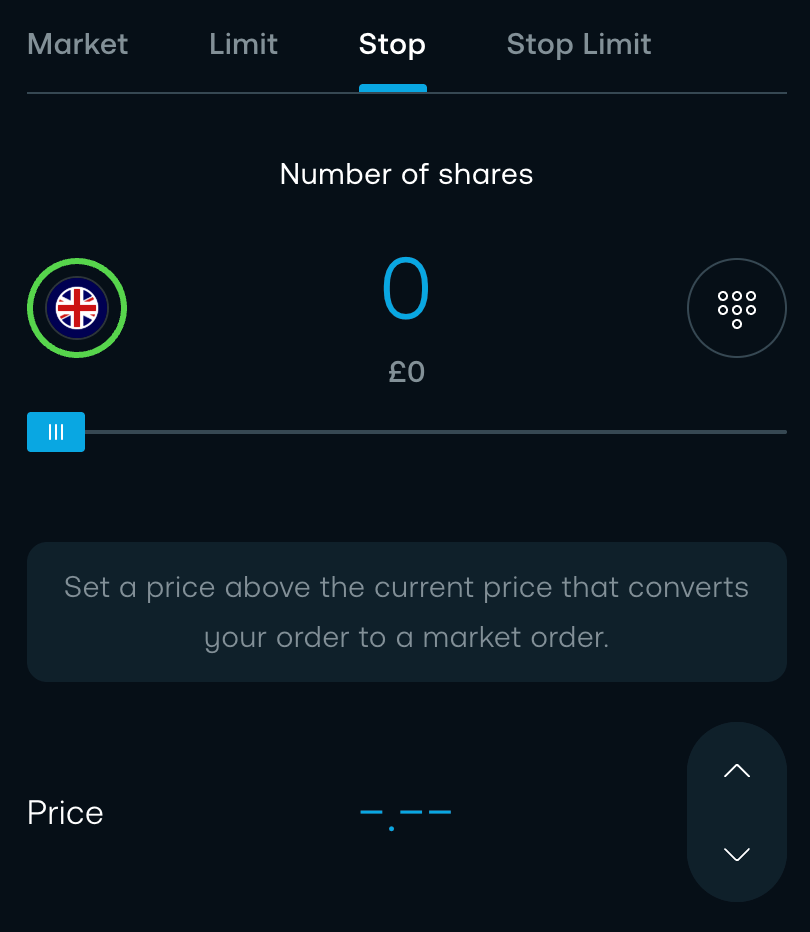
The most common use is a stop-loss, to protect a gain or limit a loss.
Suppose you bought at £50 and it is now £60; a stop at £55 will sell automatically if the price falls back to £55, locking in some profit and capping the downside.
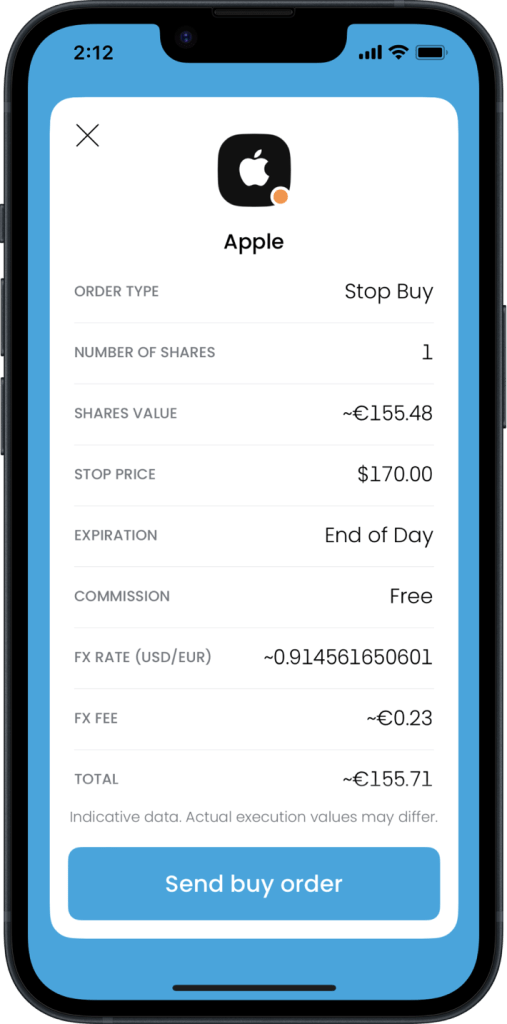
On the buy side, a stop buy can enter a position once a stock breaks above a level you are watching.
The risk to understand is that once triggered, a stop becomes a market order, so in a fast or thinly traded market, the price you actually get can be some way below your stop, slippage again, and more pronounced outside regular hours.
Stop-Limit Orders
A stop-limit order is the most precise tool, combining a stop trigger with a limit price.
You set two prices: the stop, where the order activates, and the limit, the worst price you will accept.
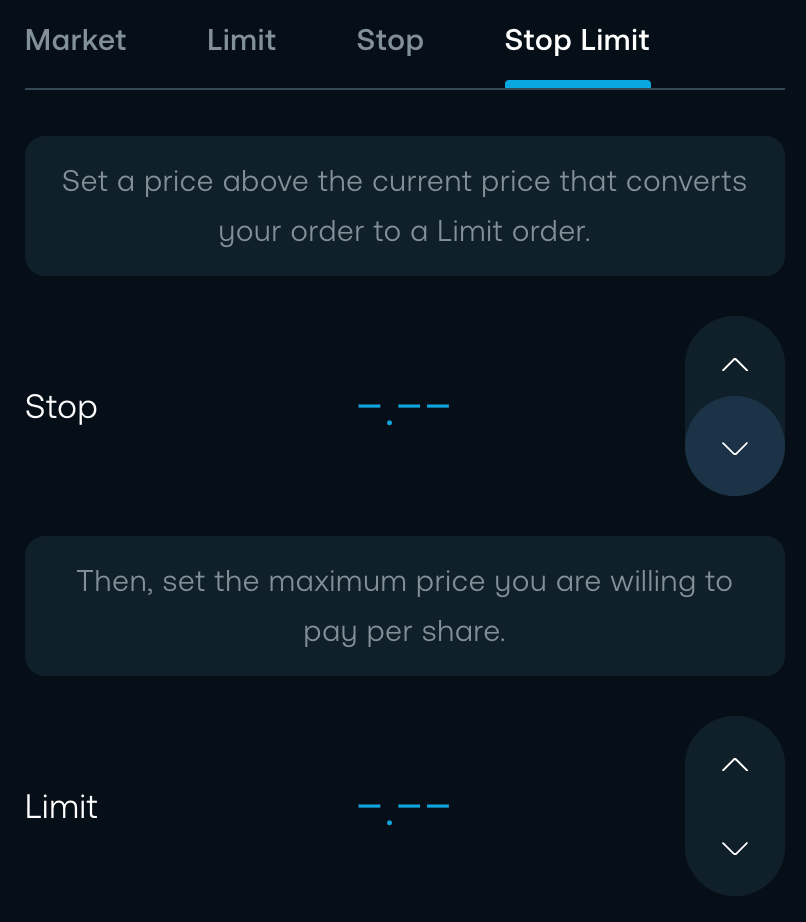
For example, you hold a stock at £60 and want protection from a drop but not at any price: a stop at £55 and a limit at £53 means that if the stock falls to £55, the order activates, but it will only sell at £53 or better.
If the price crashes straight through £53, the order does not fill, which protects you from selling at the very bottom, but leaves you still holding a stock that has fallen further.
So you gain control at the cost of certainty that the order executes at all. For most long-term investors, these are rarely needed, and they make most sense on higher-volatility individual stocks where you want precise exit points.
Which Trading 212 Order Type Should You Use?
| Order Type | Best for | Key advantage | Key risk |
| Market | Everyday investing | Fast and simple | Minor slippage possible |
| Limit | Price-sensitive trades | You control the entry or exit price | May never fill if the price moves away |
| Stop | Protecting open positions | Executes automatically at your trigger price | Becomes a market order, slippage risk |
| Stop-Limit | Precise entries and exits | Full price control, no surprise fills | May not fill in a fast-moving market |
Between the first two, a limit order is the slightly better habit, because you set the price you are happy to pay rather than accepting whatever is on offer, and on a liquid stock in normal hours, there is no real downside.
That said, market orders are perfectly fine for regular buying. For popular, heavily traded stocks the price difference on any given day is tiny, so it rarely matters which you use. The exception is low-liquidity stocks with a wide gap between buy and sell prices, where a market order can fill at a worse price than you expected, and a limit order is the safer choice.
Where a limit order especially earns its place is during extended or overnight hours, when wider spreads make a market order riskier, so it is the sensible default if you use 24/5 trading.
Stop and stop-limit orders are really trader tools for timing entries and exits, and a buy-and-hold investor can go years without touching them.
If you are just starting out and this all feels like a lot, stick with market orders: the order type is a refinement, not a prerequisite, and you can pick up the rest as you go.
If you like to research before you buy, our guide to desktop or mobile explains why a larger screen helps before you place any order.
Conclusion
The four Trading 212 order types each have a job: market for simplicity, limit for price control, stop for an automatic trigger, and stop-limit for precision at the cost of certainty. For consistent long-term investing, a market order usually covers it, with a limit order the better choice in extended hours or when you have a specific price in mind.
The stop orders are worth understanding for the situations where they help, even if you rarely reach for them.
Match the order type to what you are actually trying to do, and you will not need to think about it much beyond that.
FAQ
What is the best order type for beginners on Trading 212?
A market order is the simplest of the Trading 212 order types. It buys straight away at the best available price, which is fine for regular long-term investing where small price differences don’t matter much. The other types give you more control in specific situations, covered above.
What is the difference between a stop and a stop-limit order?
A stop order becomes a market order once triggered. A stop-limit adds a limit price, so it only fills at that price or better, but it might not fill at all.
Do limit orders cost more on Trading 212?
No. Trading 212 does not charge commission on GBP shares and ETFs regardless of order type. The usual 0.15% currency fee still applies to non-GBP trades.
Why did my limit order turn into a market order?
If you set a limit buy at or above the current price, or a limit sell below it, your condition is already met, so the app executes it immediately.