
Updated 2 July 2026
Most people use Trading 212 on their phone simply because that is where they signed up, and never really try the desktop version.
But there is a full web platform behind the same login, and for some of what you do (particularly research) it is the better tool.
The question is not really which is “best”, but which to use for which task.
Both give you the same account and the same features; the difference is entirely in the experience. Here is what each does well, what is identical on both, and how to split your time between them.

Key Takeaways
- Both platforms access the same account, stocks and features, and everything syncs in real time.
- The mobile app is built for quick actions and convenience; the desktop platform offers more screen space and better charting.
- For regular buy-and-hold investing, the app is all you need. For research and portfolio review, the desktop version is noticeably better.
- There is no separate software to download. The desktop platform runs in any modern browser.
Trading 212 Desktop vs Mobile: The Short Answer
| Task / Feature | Mobile App | Desktop Web |
| Best for | Quick actions and buying on the go | Research, charting and portfolio review |
| Charts | Small; one stock at a time | Large and interactive; zoom and overlay indicators |
| Portfolio overview | Tap into each holding one by one | Full table view. See value, gain/loss, and yield at a glance |
| Placing orders | All order types (market, limit, stop, stop-limit) | All order types (market, limit, stop, stop-limit) |
| Pie management | Fully supported | Easier for several or complex Pies |
| Login & security | 2FA plus biometric (Face ID/fingerprint) | 2FA via email, password and code; log out on shared PCs |
| Core features | AutoInvest, 24/5 trading, share lending, multicurrency | AutoInvest, 24/5 trading, share lending, multicurrency |
When it comes to choosing between desktop vs mobile, both give you access to the same account, the same stocks and the same features, all synced in real time.
Your portfolio, your Pies and your cash balance are identical wherever you log in.
The difference is the experience: the app is built for quick actions and convenience, while desktop offers more screen space, better charts and a clearer overview.
For most long-term investors the app is all you need, but for research and review, desktop is noticeably better.
For the platform basics, see our guide on how to use Trading 212.
The Trading 212 Mobile App
The app is where most people spend their time, and for good reason. It is clean, fast and intuitive.
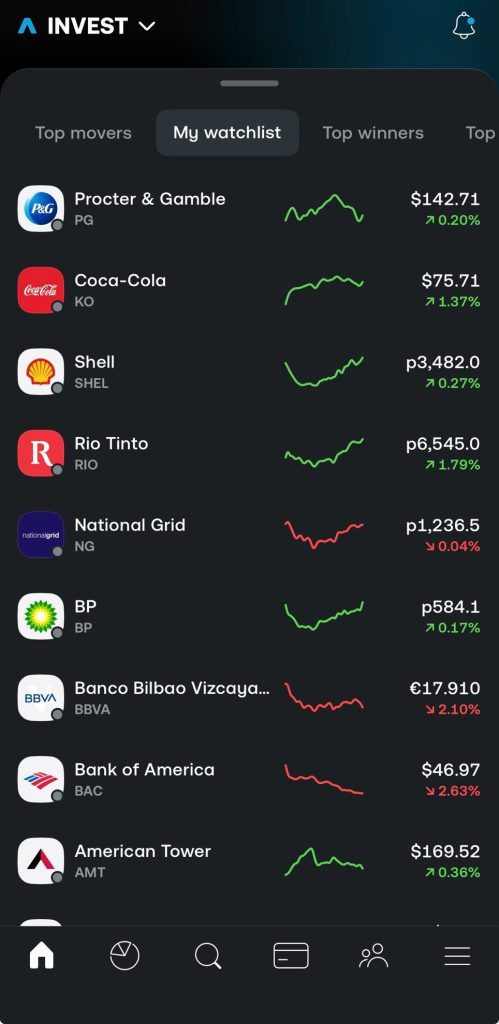
You can search for stocks and ETFs, place orders, manage Pies, set up AutoInvest, deposit and withdraw, and check your performance, all from your phone, which fits the way most people on this kind of platform invest: log in every now and again, add money, buy a few things.
It also supports the features that matter, including the 24/5 trading toggle, share lending settings and the multicurrency account, so using the app exclusively does not cost you any functionality.
Notifications are part of this too: the app flags dividends, corporate actions, and voting events as they happen, which is useful for staying on top of holdings without having to look.
Where it falls short is screen size.
Charts are pretty small, you cannot put two stocks side by side, and reading detailed financials while looking at a price chart means constant scrolling and tab-switching.
For quick buying and selling, it is excellent. For research, it is limited by the screen.
The Trading 212 Desktop Web Platform
The desktop version runs in any modern browser. You go to the Trading 212 website, log in, and you are on the full platform, with nothing to download.
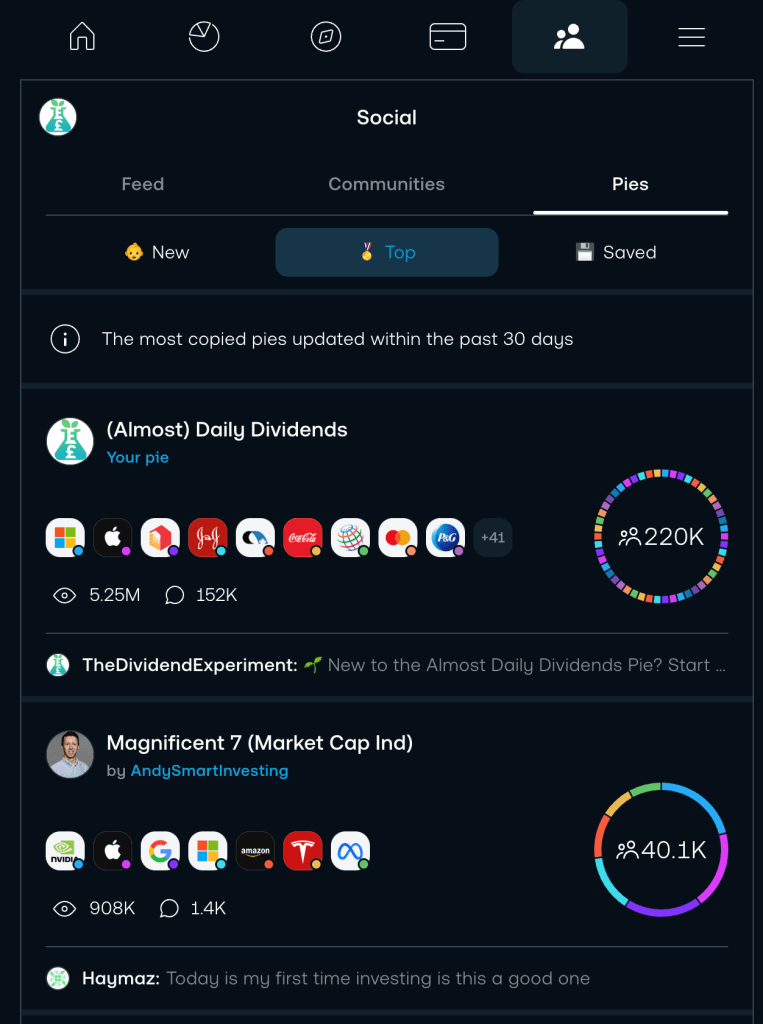
The biggest advantage is screen space.
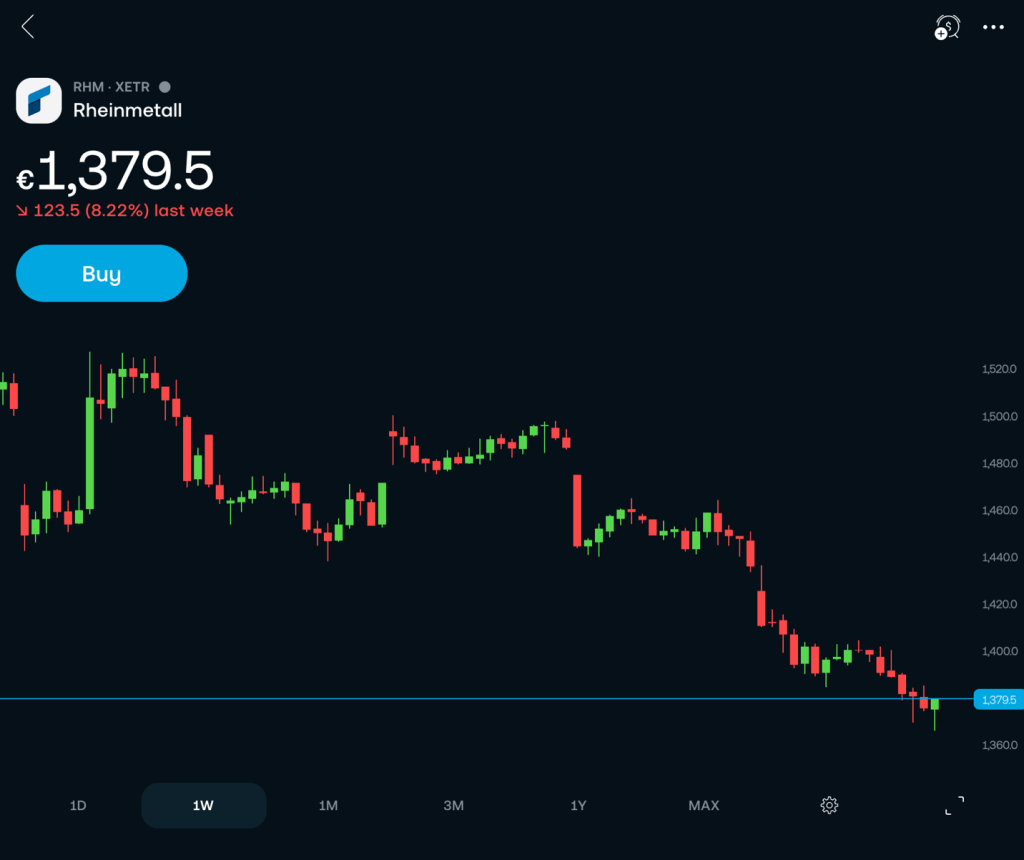
Charts are larger and more interactive, so you can zoom into specific periods and overlay indicators, which makes a real difference if you like to look closely before you buy.
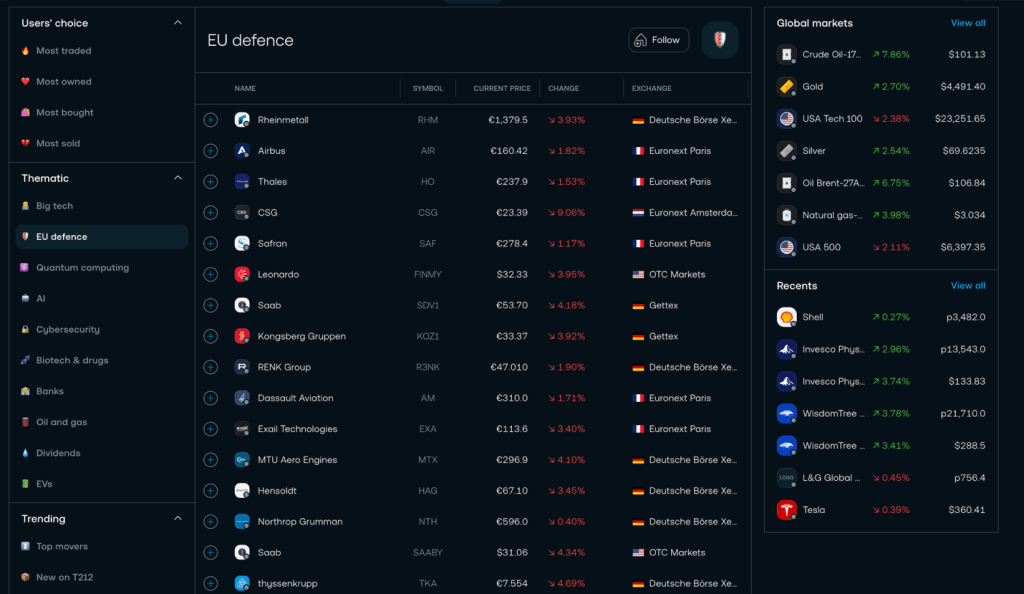
The portfolio overview is clearer too: instead of tapping into each holding one by one, you see everything in a table, current value, gain or loss, percentage change, dividend yield, at a glance.
Pie management is easier on a big screen if you run several Pies or a complex structure, and the detailed order history and transaction log make desktop the easier place to review trades for tax.
Placing orders works the same; you just see more while you do it, and the order types available are identical, which our guide to order types explains.
A practical example: comparing two dividend ETFs is awkward on a phone, where you flip between tabs, but on desktop, you can open each in turn against a full-size chart and read the holdings, yield and ongoing charge before deciding.
For a portfolio review, checking which holdings have drifted, where your income is coming from, and what each position has done this year, the table view shows it all at once instead of one tap at a time.
What Is the Same on Both?
It is worth stressing how much is identical, because it removes any fear of missing out by using one or the other.
Place an order on the desktop version of Trading 212 and it appears on the mobile version instantly. You can set up a Pie on your phone and manage it from your computer.
The order types, market, limit, stop and stop-limit, are the same on both, as are the deposit and withdrawal methods, AutoInvest, share lending, the multicurrency account and 24/5 trading.
Even ready-made Model Pies are browsed and managed the same way.
The only difference is how the information is presented and how easy it is to navigate, not what you can actually do. So you can start a piece of research on a desktop and finish the trade on your phone later without anything being out of sync.
Security on Both Platforms
Both platforms support two-factor authentication, which is definitely worth enabling on each (it’s your money after all!).
The mobile app adds biometric login. This might be Face ID or a fingerprint, depending on your device, which makes it both secure and convenient.
On desktop, you log in with your email, password and your two-factor code.
The one extra habit for desktop is to log out when you are finished on a shared or public computer. The app handles this more naturally because it lives on your own device.
Neither is meaningfully less safe than the other. The difference is really just the convenience layer on top.
Which Version Should You Use?
A simple way to think about it: use the app for anything quick and the desktop for anything that involves thinking.
If you are a buy-and-hold investor making regular purchases into ETFs or a Pie, the app is essentially all you need. Depositing and buying take seconds.
If you want to research before buying, comparing ETFs, reading financials, studying charts, desktop is the better environment. You can switch to mobile to place the order if you prefer.
If you manage a complex portfolio with several Pies and frequent rebalancing, desktop gives the clearer overview.
A common rhythm is to do the thinking on desktop, research, portfolio review, Pie adjustments, and keep mobile for acting in the moment, such as topping up after a deposit lands or buying when a price reaches a level you wanted.
In practice, most people use both: desktop at home to review things properly, mobile on the go for a quick purchase or to act on a notification.
There is no wrong answer, and you keep full functionality whichever you prefer.
Conclusion
Same account, same features, different experience.
The mobile app wins on convenience and quick actions; the desktop platform wins on charting, comparison and reviewing a more complex portfolio.
Use whichever fits the task. Even mobile-only users get the complete feature set, so nothing is off-limits.
FAQ
Does Trading 212 have a desktop platform?
Yes. There is a full web platform you can reach through any modern browser, with no separate software to download. It mirrors the app’s features.
Is the Trading 212 app as good as the desktop version?
It has the same features and syncs instantly. The app is better for quick actions, while desktop is better for charting and portfolio overview.
Can I use both desktop and mobile on the same account?
Yes. It is one account that syncs in real time, so an order or Pie change on one platform appears on the other immediately.
Which is more secure, the Trading 212 app or the desktop version?
Both support two-factor authentication. The app adds biometric login. On a shared computer, dont forget to log out of the desktop platform!